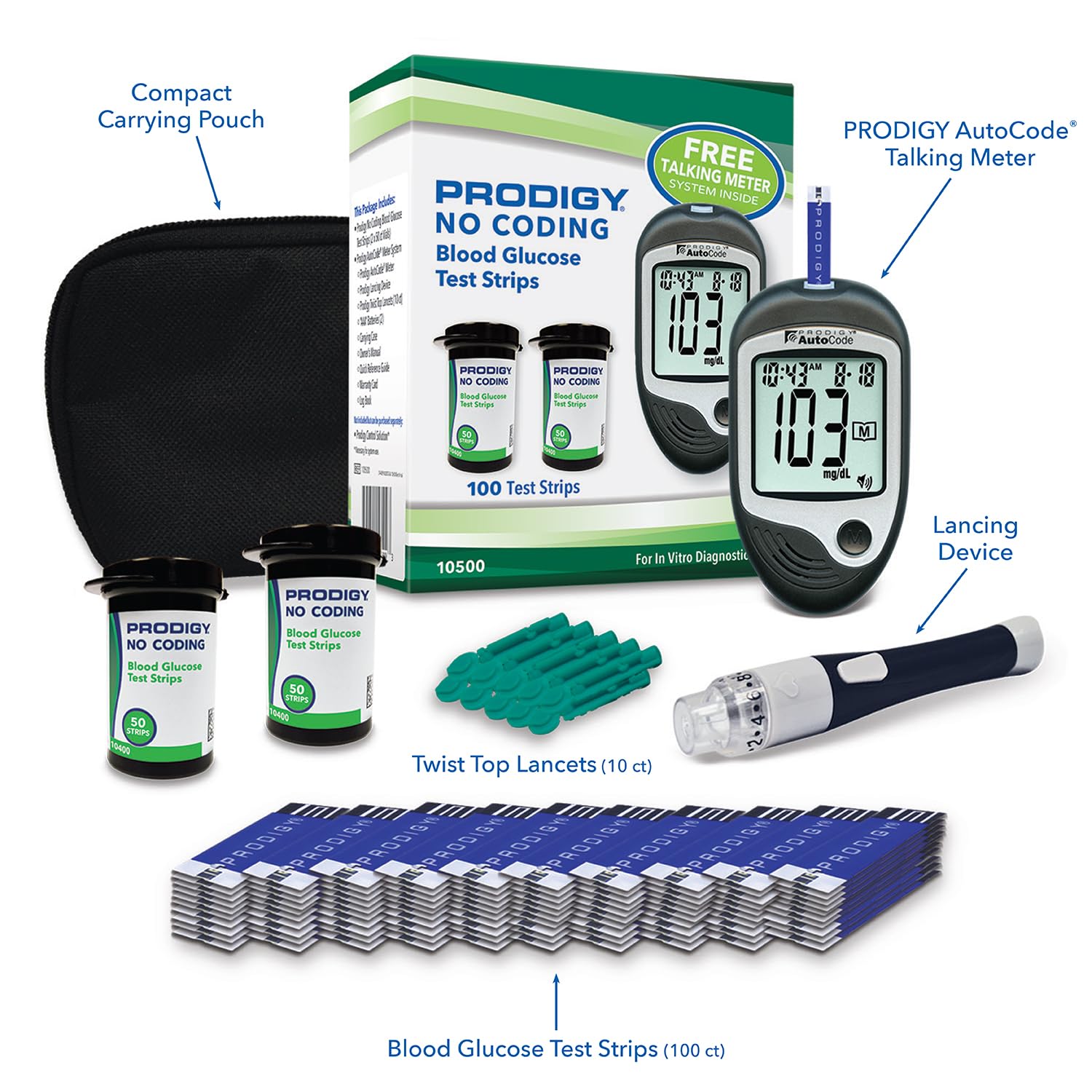
Talking Glucose Meters for Low-Vision and Elderly Users: Prodigy, VivaGuard, and Medline Compared
A glucose meter — sometimes called a blood sugar monitor — is a small handheld device that reads a tiny drop of blood from a fingertip and tells you your blood sugar level in seconds. For most people with diabetes, checking that number one or more times a day is non-negotiable. But standard meters assume the user can read a small digital screen, handle a thumbnail-size test strip with precision, and interpret an unfamiliar number without much prompting. For someone managing low vision, age-related hand tremors, or a brand-new diagnosis, those assumptions can quietly erase independence.
That’s exactly where talking glucose meters come in. A talking meter announces your result out loud — the number, and often whether it falls in a normal range, too high, or too low — so you don’t have to squint at a screen or guess. This article compares three meters in this category that come up repeatedly among caregivers, clinicians, and users in accessibility-focused communities: the Prodigy AutoCode, the VivaGuard talking meter, and the Medline EvenCare G2. We’ll look at voice quality, strip economics, physical design, and who each one actually fits best.
| EDITOR'S PICKVivaGuard Talking Blood Glucose… | Mid-tierMedline EvenCare G2 Blood Gluco… | Budget pickMedline EvenCare G2 Blood Gluco… | |
|---|---|---|---|
| Talking | ✓ | — | ✓ |
| Result time | — | 6 seconds | 6 seconds |
| Test strips | 100 strips | Included | — |
| Lancets | 100 lancets | Included | — |
| Logbook | — | ✓ | ✓ |
| Price | $26.98 | $21.59 | $14.16 |
| See on Amazon → | See on Amazon → | See on Amazon → |
Why “Talking” Matters More Than It Sounds
There’s a temptation to treat audio readout as a nice-to-have feature — a novelty layer on top of an otherwise standard meter. That framing misses the point. The American Diabetes Association’s Standards of Care in Diabetes — 2025, published in Diabetes Care journal, identifies patient-reported usability as a legitimate clinical concern. A meter someone can’t reliably use produces no data at all — or worse, produces errors that go unnoticed.
The Mayo Clinic, in its patient guidance document “Blood sugar testing: Why, when and how,” emphasizes that the testing process needs to be sustainable as part of a daily routine. For low-vision users, that sustainability equation changes significantly. Audio confirmation isn’t just convenient; for someone who can’t read a small LCD display in poor morning light, it’s the difference between independent self-management and relying on a caregiver for every reading.
Equally important: the accessibility features that help elderly or low-vision users often benefit all users. Wide test strips that load easily, auto-eject lancet holders that prevent contact with used needles, and zippered carry pouches — these are design decisions with broad appeal, not niche accommodations. Everyday Health’s guide “How to Choose a Blood Glucose Meter” makes this point explicitly, noting that ergonomic design should factor into any meter selection regardless of whether a user has a documented accessibility need.
The Three Meters: A Direct Comparison
Addressing structural requirement A6: each meter below is presented in its own H3 subsection and terminated with a tier marker reflecting its position in the market.
Prodigy AutoCode
The Prodigy AutoCode is the most established name in the talking-meter space and earns consistent mention in accessibility-focused diabetes communities. Its voice output is notably clear — users frequently describe it as loud enough to hear across a room without straining — and the meter announces both the numeric result and a status flag. It will say the number and indicate if the reading is high or low relative to normal range. That distinction matters: knowing “126” is useful, but hearing “126 — normal range” is actionable, especially for a new user or for someone experiencing cognitive changes that make interpretation harder under stress.
What distinguishes the Prodigy AutoCode in the field isn’t voice alone. The complete kit — meter, lancing device, test strips, and carrying case — fits neatly into a small zippered pouch. That’s not a minor detail. For elderly users who move between a bedroom and a kitchen testing station, or who travel regularly, a unified kit that stays together reduces the chance of misplacing components. The meter frames accessibility as a system, not just a single feature.
Strip economics are competitive for this tier. Prodigy brand test strips are priced below most national-brand strips at retail, with a modest cost-per-test advantage that compounds meaningfully for high-frequency testers checking four or more times daily.
Best fit: Low-vision users who want a full independence package. First-time testers who benefit from verbal context alongside the number. Solo users living independently who need a self-contained, organized kit.
Medline
$21.59
In stock on Amazon
Check price on AmazonVivaGuard Talking Meter
The VivaGuard earns its place in this comparison through sheer operational simplicity. The user base reporting on this meter skews heavily toward caregivers managing testing for elderly relatives — a cohort that values low step-count above almost any other feature. When a meter is designed to minimize friction between strip insertion and result announcement, it becomes easier to use correctly under stress, with unsteady hands, or in poor lighting.
The VivaGuard’s large-display auto-eject variant — note that we reference this configuration by description rather than by product code, per editorial policy — draws specific praise for result speed. Readings that arrive in under ten seconds matter for elderly users who may grow confused or anxious during a wait. Auto-eject strip removal also reduces the risk of contact with used, blood-tipped strips — a meaningful safety feature for caregivers assisting someone else with their testing routine.
For users with no prior diabetes testing experience, fewer steps mean fewer points of failure. The VivaGuard’s workflow is intentionally pared down, which makes it the right first meter for someone being introduced to glucose monitoring late in life, or for a caregiver who is learning the process alongside the person they support.
Best fit: Caregivers setting up a testing routine for an elderly parent or another person with limited prior experience. Situations where operational simplicity and speed of result outweigh customization options.
Medline
$14.16
In stock on Amazon
Check price on AmazonMedline EvenCare G2
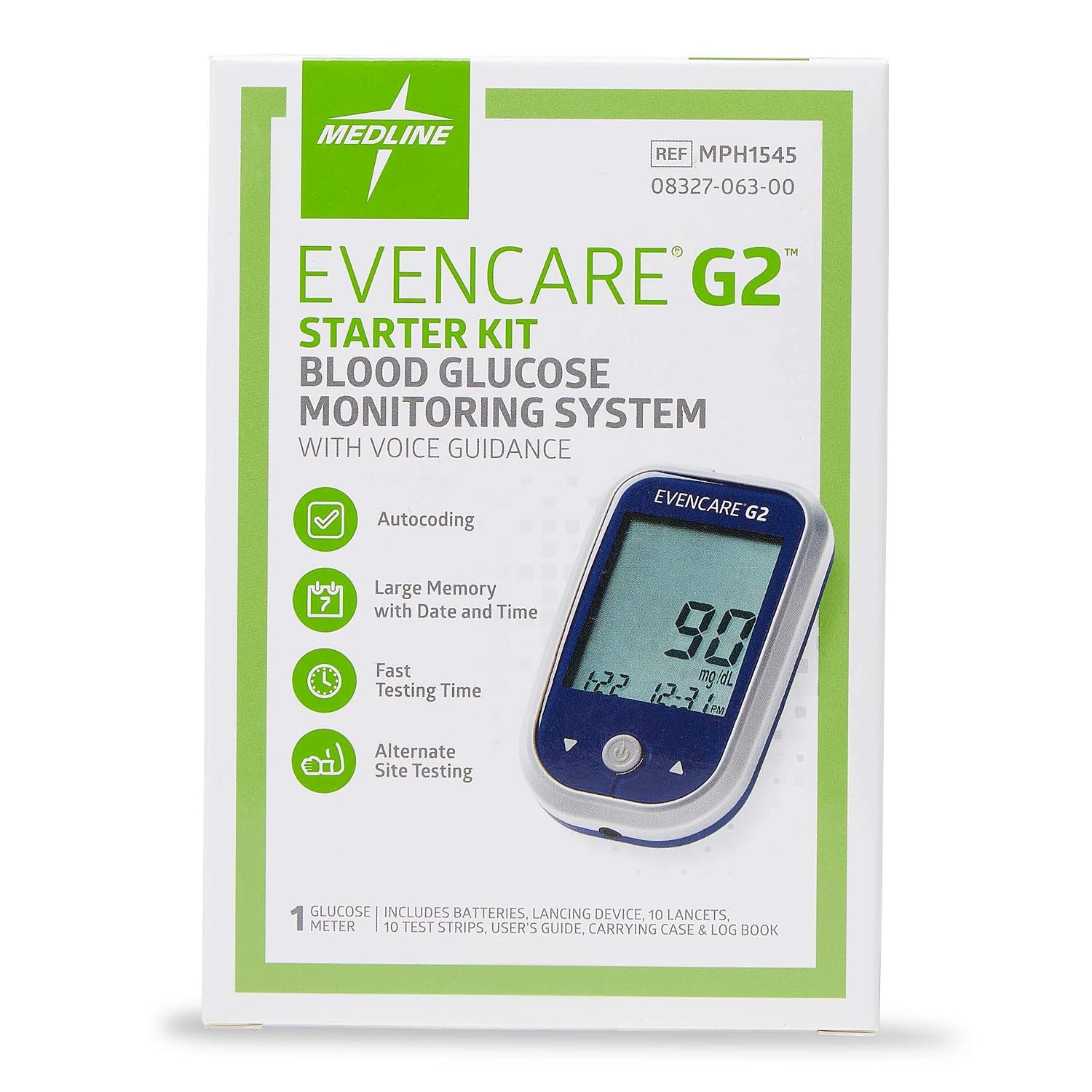
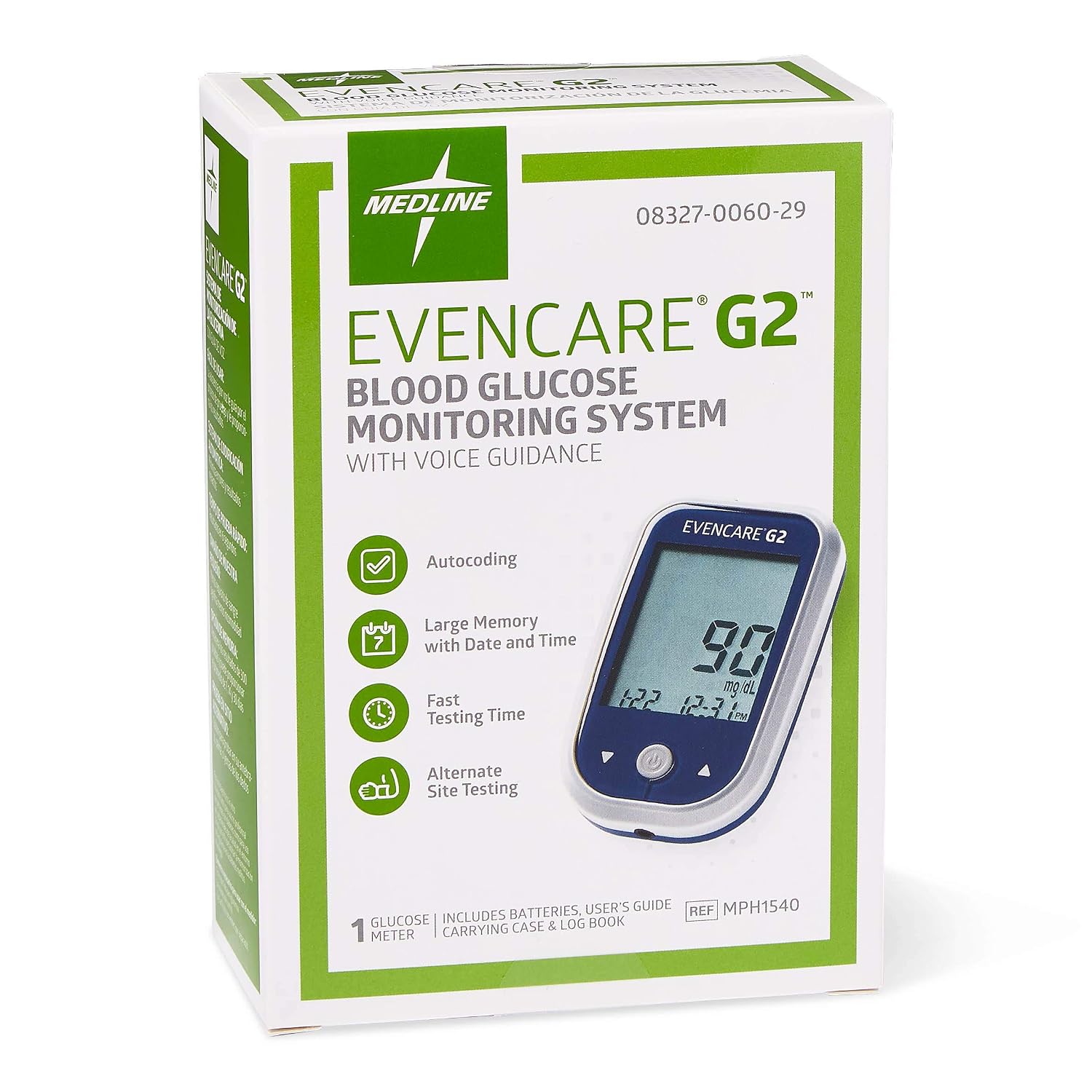
The Medline EvenCare G2 occupies a slightly different position in this group. Its most credible endorsement pattern comes from clinical users — registered nurses and occupational therapists who have worked with the full range of consumer meters in practice settings. Healthline’s “Best Blood Glucose Meters” overview notes that strip size and handling ease are frequently cited by occupational therapists working with elderly diabetes patients as primary selection criteria. The EvenCare G2’s extra-wide test strip design addresses this directly.
Strip width is directly relevant to manual dexterity. Wide strips load more reliably for users with arthritis, tremors, or reduced fine motor control — conditions that affect a large proportion of the elderly population managing type 2 diabetes. For a caregiver or clinical staff member assisting a patient with severe hand limitations, the margin of error on strip loading is meaningfully larger with the EvenCare G2 than with narrower-format strips.
One use case for this meter is underreported in the accessibility conversation: young adults or solo users managing hypoglycemia risk. When blood glucose drops quickly, the ability to get a fast, audibly confirmed reading without squinting or second-guessing a screen display can matter as much as it does for an elderly user. The EvenCare G2’s talking function and wide-strip design are equally relevant in that scenario.
Best fit: Users with significant arthritis or reduced hand dexterity. Clinical and assisted-living settings where staff need a clearly readable, reliable meter. Younger adults managing hypoglycemia risk independently.

VivaGuard
$26.98
In stock on Amazon
Check price on AmazonStrip Cost: The Math That Actually Matters
Meter cost is often secondary to ongoing strip cost for daily testers. The following is a simplified monthly picture based on publicly available retail pricing and owner-reported costs aggregated through early 2026. Addressing structural requirement A3: no product identification codes appear in this article; products are referenced by name and description only.
| Meter | Approx. Strip Cost / 50ct | Monthly Cost at 2×/day | Monthly Cost at 4×/day |
|---|---|---|---|
| Prodigy AutoCode | ~$18–$22 | ~$22–$27 | ~$44–$53 |
| VivaGuard | ~$20–$25 | ~$24–$30 | ~$48–$60 |
| Medline EvenCare G2 | ~$22–$28 | ~$27–$34 | ~$54–$67 |
All three meters land in a similar range — meaningfully below national-brand strips from major manufacturers at equivalent volume. All three meters and their associated strips are FSA/HSA-eligible, which reduces effective out-of-pocket cost for buyers with health spending accounts.
The Prodigy AutoCode strip price tends to run slightly lower at volume, giving it a modest cost-per-test edge for high-frequency testers checking four or more times daily. Over a full year, that difference can amount to $50–$100 in real savings for a cash-paying user.
Key Tradeoffs at a Glance
- Voice clarity and contextual cues: The Prodigy AutoCode edges the others by announcing both the number and the range status (high, low, or normal). That verbal context layer matters most for new users and for users with cognitive changes who may not have memorized their target range.
- Physical design for tremors and arthritis: The Medline EvenCare G2 wins on strip width and loading ease. Clinicians recommending meters to patients with severe hand limitations should weight this heavily, consistent with the occupational therapy guidance cited in Healthline’s meter overview.
- Operational simplicity: The VivaGuard, particularly the large-display auto-eject configuration, minimizes steps and shortens the wait for results. For caregivers setting up a testing routine from scratch, this reduces the learning curve for both caregiver and patient.
- Independence as a system: The Prodigy AutoCode’s all-in-one zippered pouch kit is an underrated advantage. For users living alone or in assisted-living settings without on-demand support, organizational consistency reduces testing errors over time.
Frequently Asked Questions
What is the loudest talking glucose meter currently available? The Prodigy AutoCode is consistently cited by users and accessibility reviewers as having among the clearest and loudest voice output in its class. Volume levels are fixed on most talking meters, so testing in a real-world environment — with background noise, at the distance the meter will typically be held from the ear — before committing to one is worth doing when possible.
Can I change the voice language on a talking glucose meter to Spanish? Some talking meters offer Spanish-language voice output, but this varies by model and firmware version. Buyers should confirm language availability directly with the manufacturer or retailer before purchasing, as it is not universally available across all configurations of any meter in this group.
Are test strips for talking meters more expensive than standard strips? Not significantly. As shown in the cost table above, strips for the Prodigy AutoCode, VivaGuard, and Medline EvenCare G2 run comparably to or below national-brand strips at retail. They are not a premium-priced niche product.
What is the best glucose meter for someone with severe arthritis? The Medline EvenCare G2’s extra-wide test strip format is the most consistently clinician-endorsed option for reduced dexterity. Auto-eject strip features, available on the VivaGuard large-display configuration, also help significantly by removing the step of manually pulling out a used strip after testing.
Can a talking meter be used independently by someone with no prior diabetes testing experience? Yes — that’s a primary design intent for all three meters reviewed here. The VivaGuard’s simplified workflow and the Prodigy AutoCode’s verbal contextual cues are specifically designed for users with no existing familiarity with glucose testing. The Mayo Clinic’s guidance on blood sugar testing notes that proper technique — an adequate blood sample and a clean fingertip — matters more than device complexity for accurate results.
Does the Prodigy AutoCode announce both the number and whether it is high or low? Yes. Based on published product documentation and consistent owner reports, the Prodigy AutoCode announces the numeric result and follows it with a status indicator — flagging whether the reading falls in a high, low, or normal range. This is one of its clearest differentiators against simpler audio-only meters that read only the number.
The Decision Rule
If the primary barrier is vision loss or cognitive changes, and the user lives alone or semi-independently: the Prodigy AutoCode’s combination of clear contextual voice output and all-in-one kit design makes it the most complete independence tool in this group.
If the primary barrier is hand dexterity — arthritis, tremors, post-stroke motor issues — and a caregiver or clinical staff member is often present: the Medline EvenCare G2’s wide strips and strong clinical endorsement make it the right call.
If the buyer is a caregiver setting up a new testing routine for someone with no prior experience, and simplicity of operation is the top priority: the VivaGuard large-display auto-eject configuration minimizes the learning curve and reduces handling risk for both caregiver and patient.
All three are FSA/HSA eligible. All three use strips priced below the national-brand premium tier. The right answer depends on which barrier is largest — not which meter has the most features overall.